1、打开Web
“File”
- “Open
FrontPage Web...”.
2、使用FrontPage
Editor
“Lesson
2”, 双击右边的图标打开Editor.
键盘: “End”,
“Enter”.
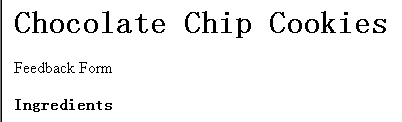
选 “Normal”
样式, 输入
“Feedback
Form”, 回车.
选 “Heading
2”, 输入
“Ingredients”,
不回车.
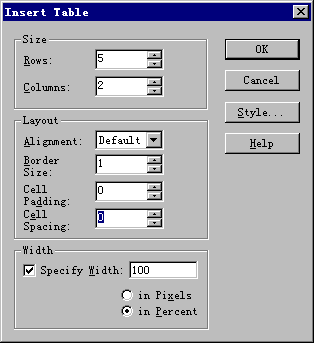
 3、插入表格
:
“Table”
- “Insert
Table”.
Rows: 5, Cell Padding: 0, Cell Spacing: 0.
3、插入表格
:
“Table”
- “Insert
Table”.
Rows: 5, Cell Padding: 0, Cell Spacing: 0.
Width: Specify Width: 50.
 输入下面的数据:
| 1 & 1/8 c. flour |
1/2 c. sugar |
| 1/4 t. baking soda |
1 egg, beaten |
| 1/2 t. salt |
1/2 t. vanilla |
| 1/2 c. butter |
1/2 c. chopped walnuts |
| 1/4 c. brown sugar |
1/2 lb. chocolate chips |
4、列表
“Heading 2”,
输入
“Preparation”,
回车.
工具栏: “Numbered
List”. 输入 “Pre-heat
oven to 350”, 不回车.
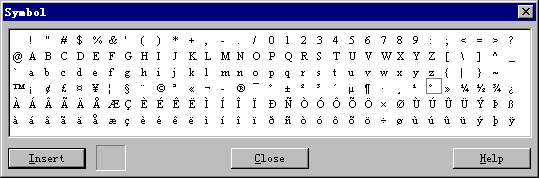
菜单: “Insert”
- “Symbol”,
“° ”.“C”。
输入 “Pre-heat
oven to 350”, 不回车.
菜单: “Insert”
- “Symbol”,
“° ”.“C”。
 5、插入文件
TXT, RTF, HTML
文件.
插入c:\Program Files\Microsoft
FrontPage\data\tutorial\prepare.rtf.
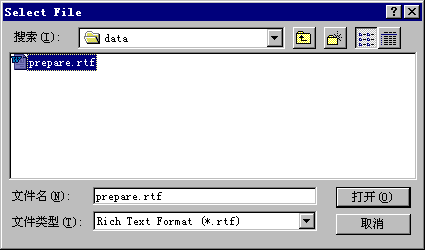
5、插入文件
TXT, RTF, HTML
文件.
插入c:\Program Files\Microsoft
FrontPage\data\tutorial\prepare.rtf.
 删除中间的空行, 两个列表合并.
CTRL+END, 结束列表.
6、完成
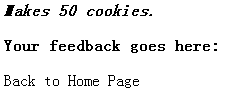
“Makes 50
cookies.”, 不回车.
选择 “Address”
样式.
选中全行, 按
“B”
按纽, 变黑.
移到行尾, 回车.
存盘.
选 “Heading
2”, 输入 “Your feedback goes here:”,
回车.
样式自动变成 “Normal”,
输入
“Back
to Home Page”.
删除中间的空行, 两个列表合并.
CTRL+END, 结束列表.
6、完成
“Makes 50
cookies.”, 不回车.
选择 “Address”
样式.
选中全行, 按
“B”
按纽, 变黑.
移到行尾, 回车.
存盘.
选 “Heading
2”, 输入 “Your feedback goes here:”,
回车.
样式自动变成 “Normal”,
输入
“Back
to Home Page”.
|

