1、创建新的Web
- 启动
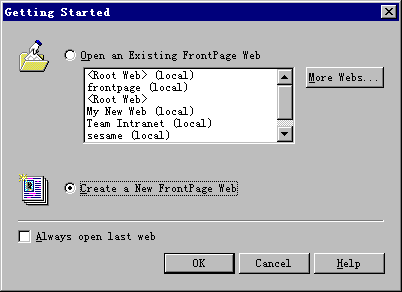
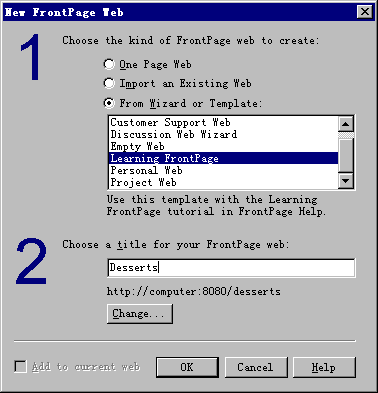
Microsoft FrontPage, 在欢迎对话框中选择
Create a New Frontpage Web, OK.
- 选择
Learning FrontPage, OK.
- 在
Name of New FrontPage Web 中,
输入 Desserts, OK.
- 输入姓名和密码
, OK.
- FrontPage创建一个叫 Desserts的
Web.
2、使用FrontPage Explorer
FrontPage Explorer当前是在 Navigation视图 ,现在转换到 ,现在转换到
超连接视图状态 . .
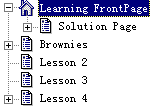 |
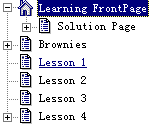
左边的树状结构列出了所有的页面.
你可以按加号和减号来扩展和收缩. |
右边列出当前页的连接 .
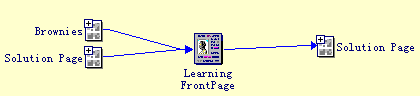 Solution
Page”, 查看该页的连接.
按 “Solution
Page”左面的加号,
展开.
按 “Lesson
2”, 右边显示该页的连接.
Solution
Page”, 查看该页的连接.
按 “Solution
Page”左面的加号,
展开.
按 “Lesson
2”, 右边显示该页的连接.
3、启动FrontPage
Editor
-
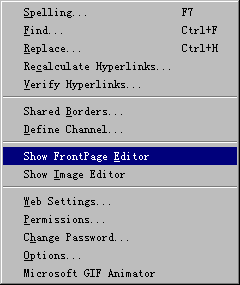
| 打开FrontPage Editor,
菜单:
“Tools”
- “Show
FrontPage Editor”. |
 |
- 建新文件, 菜单: “File” -
“New”.
- 选择 “Normal Page”, OK.
4、使用 FrontPage Editor
5、关闭当前Web
- 菜单: “File” -
“Close Web”.
|