| 方法:
Button对象的方法很简单,只有getDepth一个,目的是获取目标Button的Level:
trace(btn2.getDepth());
TAB键关联
在处理成组的很多Button 同时存在时,会遇到按TAB键按钮间组内切换的情况,在Flash
MX中会把需要切换的Button按照tabIndex顺序排列:
Button.Prototype.onKillFocus=function(){trace("kill
focus"+this._name)}
btn1.tabIndex=2
btn2.tabIndex=3
btn1.tabEnabled=btn2.tabEnabled=true
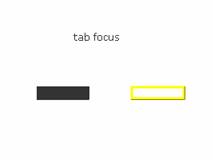
(图3)
试验的结果发现了问题,在有手动和程序实现的Button同时存在的时候,tab并不起什么作用,而在无手动Button的时候却只能使tabIndex和tabEnabled起作用,但killfocus毫无响应,可见程序作的按钮的可靠性。
btn2.tabEnabled=true
btn2.tabIndex=3
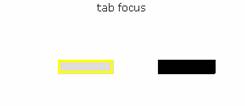
(图4)
Button对象大概就是这个样子了,值得高兴的是可以用程序作button了,不过程序和设计总是有个点,那个点的把握就决定着Flash
MX的应用性。
源代码:
http://www.dnvs.net/tutorial/flash_mx/day9.fla
(最后感谢网友飘血赞助dnvs.net超级快空间,我以后会放置我的作品在上面)
Tips:
Button对象的getDepth其实也就是MovieClip的getDepth(代码号全为105)。
|


